
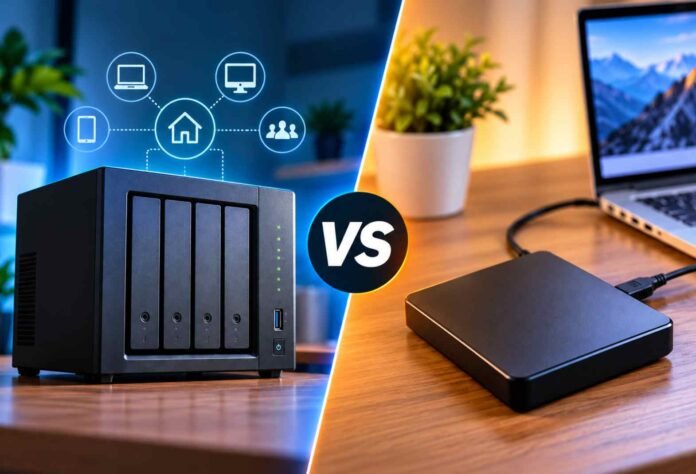
Choosing between a network attached storage (NAS) system and an external hard drive depends on how you store, access and protect your files. Both options can handle large amounts of data, but they serve different purposes.
An external hard drive is a straightforward choice for people who want extra storage without spending too much. A NAS system, on the other hand, offers network access, flexible storage options and features designed to make file sharing and backups easier.
For home users, photographers, small businesses and larger organisations, understanding these differences can help determine which solution offers better value. Here is how NAS systems and external hard drives compare in terms of design, storage capacity, speed, cost and data protection.
Design and Storage Capacity
The biggest difference between NAS systems and external hard drives is how they store and share data.
A NAS system is a dedicated storage device that connects to a local network. It typically consists of an enclosure, one or more storage drives, a processor, memory and software that manages files and user access. Once connected to a router, it allows authorised devices to access stored information without requiring a direct USB connection.
This arrangement is particularly useful for households with several computers or businesses where multiple employees need access to the same files. Instead of copying documents onto separate drives, users can work from a shared storage location.
NAS systems can also support multiple drives, depending on the model. This makes it possible to expand storage as requirements grow. Some devices support drive replacement or expansion units, giving users more flexibility than a typical standalone external drive.
External hard drives are simpler. Most connect directly to a computer through USB, although some models use other interfaces. They store files locally and are generally ready to use with minimal setup.
Their portability is a major advantage. Users can carry documents, photographs, videos and project files between computers without configuring a network.
However, most external drives have a fixed capacity. Replacing the drive or adding another one is usually necessary when storage requirements increase.
For users who need a central library of files that several devices can access, NAS is often the more practical option. For individuals who simply need extra space for personal files, an external hard drive is usually sufficient.
Price and Overall Value
Cost is another important factor when comparing NAS systems with external hard drives.
External hard drives are generally more affordable because they do not require the additional hardware and software found in a NAS enclosure. Buyers can choose from portable models for everyday use or larger desktop drives designed for storing substantial amounts of data.
A NAS system requires a bigger initial investment. Buyers must account for the enclosure, storage drives and, in some cases, additional networking equipment. Systems with advanced processors, multiple drive bays and business focused features can cost considerably more.
The overall cost also depends on how much storage is needed. A basic external drive may be the most economical solution for someone who wants to back up a laptop or keep a collection of photographs. A NAS system becomes more attractive when several people need access to shared files or when storage capacity must increase over time.
Running costs are worth considering, too. A NAS may remain powered on throughout the day, consuming electricity and requiring occasional maintenance. External hard drives can be disconnected when not in use, reducing their operating time.
The additional expense of a NAS can be justified by its convenience, centralised management and automation features. However, those benefits may not be worth paying for if only one person needs occasional access to stored files.
Speed and Everyday Performance
Neither storage option is automatically faster in every situation. Performance depends on the drive itself, the connection used and the type of workload.
External hard drives connected through modern USB interfaces can deliver good transfer speeds, particularly when moving large files between a drive and a computer. Actual performance depends on whether the drive uses a traditional spinning disk or solid state storage, as well as the capabilities of the USB connection.
A conventional hard disk drive will generally be slower than an external solid state drive. This distinction matters when transferring large video projects, editing files directly from storage or regularly moving substantial amounts of data.
NAS performance depends on both its storage hardware and network connection. A system connected through Gigabit Ethernet can theoretically support network speeds of up to 1 Gbps, equivalent to 125 MB/s before accounting for protocol overhead and other limitations. Faster network connections can offer greater throughput when the NAS and connected devices support them.
Wireless connections may deliver lower or less consistent speeds, depending on signal strength, interference and network congestion. Performance can also decline when multiple users access the NAS simultaneously, particularly on entry level hardware.
For a single computer performing large file transfers, a directly connected external SSD may be the better choice. A NAS is more convenient when several users need to access the same files without physically connecting a storage device to each computer.
The right choice therefore depends on whether direct connection speed or shared network access matters more.
Backup, Security and Data Protection
Data protection is one area where a NAS system can offer significant advantages, provided it is configured correctly.
Many NAS devices support scheduled backups, file versioning, user permissions and synchronisation with compatible cloud services. These features can reduce the need for repetitive manual work and make it easier to recover files after accidental deletion or other problems.
Some NAS systems also support RAID configurations, which distribute or mirror data across multiple drives. Depending on the configuration, RAID can help keep data accessible when a drive fails.
However, RAID is not a substitute for a proper backup. It does not necessarily protect against accidental deletion, ransomware, theft, fire or damage affecting the entire device. A separate backup on another drive or in a secure cloud location remains important.
External hard drives can also play an essential role in a backup strategy. They are particularly useful for offline backups because they can be disconnected after the backup finishes. Keeping a backup drive disconnected can reduce its exposure to certain malware attacks and other computer related threats.
The main disadvantage is that backups may depend on the user remembering to connect the drive and run the process. Backup software can automate much of this work, although the drive still needs to be available when the backup runs.
Regardless of the device, users should maintain multiple copies of important data and regularly check that files can be restored.
Final Verdict
NAS systems and external hard drives address different storage needs, so the better option depends on how the device will be used.
A NAS makes sense for small businesses, creative teams and households that need shared access to large file collections. Its network connectivity, expandable capacity and automated backup options can make managing data easier as requirements grow.
An external hard drive is the more straightforward choice for users who want affordable storage, easy portability and a simple way to back up a computer. It is also useful for keeping an additional offline copy of important files.
For most casual users, an external hard drive provides excellent value without the extra expense or setup involved in running a NAS. Those who need centralised storage for several devices may find the additional investment worthwhile.
Ultimately, the decision comes down to convenience, capacity, budget and how important automated file management is to your everyday workflow.
Follow TechBSB For More Updates