
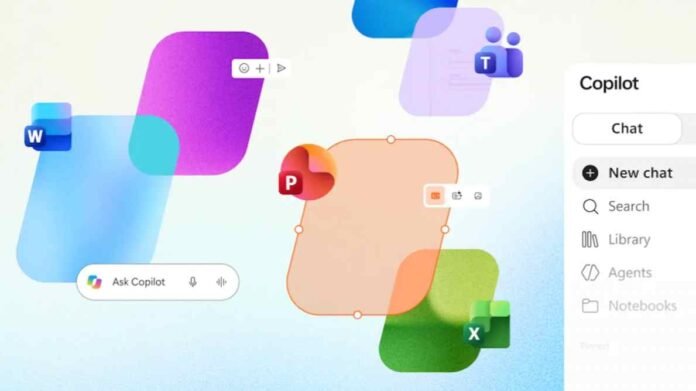
Microsoft Copilot is taking another step towards becoming an all in one productivity hub, with Microsoft bringing familiar Office document experiences directly into its AI powered app. The update allows users to create, open, edit and share Word documents, Excel spreadsheets and PowerPoint presentations without constantly switching between separate applications.
The move signals a change in how Microsoft wants people to work with its AI tools. Rather than treating Copilot as an assistant that sits alongside traditional Office software, the company is positioning it as a central workspace where users can manage documents, interact with AI and collaborate with colleagues.
For people who regularly move between writing reports, analysing spreadsheets and preparing presentations, the idea is straightforward. Keep the conversation, the documents and the editing process together in one place.
Microsoft Copilot App Brings Office Tools Into One Place
Microsoft has traditionally integrated Copilot into existing applications such as Word, Excel and PowerPoint. This approach allows users to generate text, analyse information and create presentations with AI assistance while working inside familiar software.
The latest development reverses that arrangement. Instead of asking users to open an Office application to continue working on a document, Microsoft is bringing document creation and editing into the Copilot environment itself.
Users can generate new files through Copilot Chat or Copilot Cowork and then access those documents without leaving the app. This could make the process of turning an idea into a finished document more direct, particularly for people who already use AI to brainstorm, organise information or prepare first drafts.
The change also reflects Microsoft’s broader effort to make Copilot more than a conversational chatbot. By combining AI assistance with everyday productivity tools, the company is attempting to create an environment where users can move from asking questions to completing actual work with fewer interruptions.
However, the announcement does not mean that the standalone Word, Excel and PowerPoint applications are disappearing. Instead, Microsoft is expanding the ways users can access and work with Office documents.
A New Library Makes Documents Easier to Manage
One of the most important additions is Library, which gives users a central place to access documents created within the Copilot experience.
Creating a document with AI is only one part of the process. People also need to find previous files, revisit unfinished work, make corrections and share the final version with others. Without a convenient way to manage these tasks, users may still find themselves switching between applications and searching through different locations.
The new Library feature is designed to address that problem by keeping documents within reach of the main Copilot interface.
For example, a user could ask Copilot to draft a business proposal, review the resulting document and return to it later for further editing. Similarly, someone working on a spreadsheet could use the same environment to organise information and revisit the file when new data becomes available.
This integrated approach could be particularly useful for professionals who handle several projects at once. Having documents available alongside AI conversations may reduce the friction involved in moving between planning, drafting and reviewing work.
The practical value will depend on how smoothly Library handles document organisation, file access and everyday editing tasks as the feature becomes more widely available.
Collaboration Remains a Major Part of the Experience
Microsoft is also retaining familiar collaboration features within the Copilot environment. Users will be able to share documents, add comments and review content, according to the announcement.
That matters because productivity software is rarely used in isolation. A report might require feedback from a manager, a spreadsheet may need input from several departments, and a presentation often passes through multiple rounds of revisions before it is ready to share.
Keeping these activities within Copilot could make it easier to move from AI generated content to team review without repeatedly changing applications.
It could also help teams combine AI assistance with established working practices. Employees may use Copilot to prepare an initial draft, make revisions based on feedback and collaborate with colleagues before finalising the document.
Still, the quality of the experience will depend on how well the new features support existing Office workflows. Users will want reliable document compatibility, straightforward sharing controls and editing tools that can handle more than basic changes.
Microsoft’s challenge will be to make the Copilot interface convenient enough for everyday work without removing the depth and flexibility that experienced Office users expect.
Microsoft Is Reconsidering the Future of Workplace Productivity
The update represents a wider shift in Microsoft’s approach to AI. Instead of simply adding intelligent features to individual applications, the company is exploring how AI can become the starting point for completing work across its software ecosystem.
Microsoft has described Copilot as a new way to work, with the goal of bringing familiar document creation and collaboration experiences into a more unified environment. Sumit Chauhan, an executive in Microsoft’s Office Product Group, has also highlighted the importance of combining established productivity tools with this new way of working.
The strategy makes sense in a workplace where AI is increasingly used to generate drafts, summarise information, explore data and organise ideas. Users may prefer to begin with a conversation and then refine the resulting document, rather than start by opening a particular application.
However, integrating these experiences into one app is only part of the challenge. Microsoft will also need to ensure that users can move between AI assistance and conventional editing without losing control over their work.
For now, access to the new Office experience is limited to Microsoft Frontier customers using Chat and Cowork. A wider rollout could bring the integrated approach to more users, although the announcement does not establish a confirmed general availability date.
If Microsoft can deliver a consistent experience across document creation, editing and collaboration, Copilot could become a more central part of how people use Office. The key question is whether the convenience of a unified workspace will be enough to change established working habits.
For businesses and individual users alike, the next stage will be watching how the new features perform in everyday tasks and whether Microsoft expands access beyond its current Frontier audience.
Follow TechBSB For More Updates