
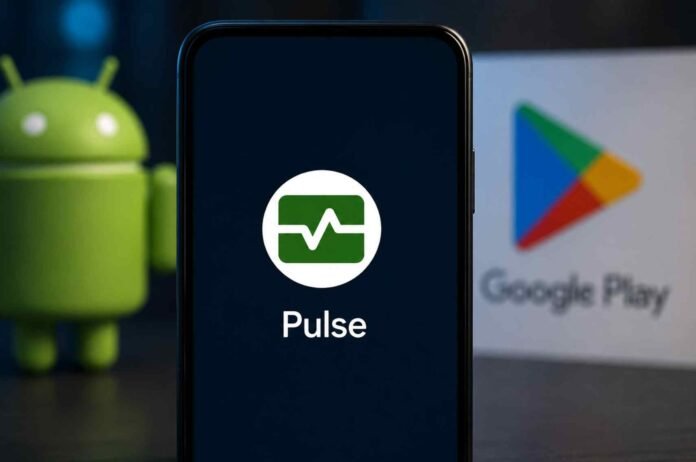
- Android Pulse is a genuine Google system app, not a suspicious third party application.
- It helps Android detect unusual use of important system resources such as battery, CPU or memory.
- The app works in the background and does not have a normal interface for users.
- Seeing Android Pulse in Google Play updates does not mean your phone has been infected or compromised.
If you noticed a mysterious app called Android Pulse showing up in your Google Play Store updates recently, you are not alone. The app appeared without the usual app icon and offers very little information about what it actually does.
At first glance, that can make it look suspicious. However, Android Pulse is a legitimate first party Google application designed to help Android detect and diagnose unusual system behaviour.
The app is listed under the package name com.google.android.apps.pulse and is described by Google as a tool for defining anomalies for debugging. In simpler terms, it appears to be part of Google’s wider effort to monitor important Android system resources and identify situations where something is behaving unexpectedly.
There is no conventional app interface to open, and you are not expected to interact with it directly.
What is Android Pulse?
Android Pulse appears to be a background diagnostic service for Android. According to Google’s Play Store description, the application helps distribute rules used for anomaly detection involving critical system resource consumption by Android itself and installed applications.
That wording sounds complicated, but the basic idea is fairly straightforward.
Android needs to keep track of how the operating system and apps use important resources. If something suddenly consumes an unusual amount of a resource, the system needs a way to recognise that behaviour and potentially investigate it.
Those resources could include things such as battery power, processor usage and memory. The available information does not provide enough detail to say exactly which resources are being monitored in every situation, but resource consumption is clearly at the centre of the service.
Android Pulse therefore appears to function more like a system diagnostic component than a normal application.
You will not find a home screen full of settings or features. Instead, it quietly works in the background and provides Android with rules that can help identify unusual behaviour.
Why did it suddenly appear in Google Play?
The most interesting part of Android Pulse is not necessarily what it does, but why many users are suddenly seeing it in their Play Store update lists.
The application has apparently been around for several months. Previous builds have been available since March, and there have already been multiple versions of the app.
That means Android Pulse is not a brand new application created specifically for this latest Play Store appearance.
Google has also previously used the Play Store to distribute certain system components. This allows the company to update parts of Android independently from a full operating system update.
What makes this situation unusual is that Android Pulse has now appeared more visibly as an application that users can update through Google Play.
There is also little visual information attached to the listing. Instead of a familiar application icon, some users are seeing a blank square. That can understandably make the listing look unfinished or even suspicious.
However, the lack of a conventional icon does not mean the app is malicious.
Should you remove Android Pulse?
For most users, there is no reason to worry about Android Pulse.
The application is published as a Google system component and is designed to perform background diagnostic functions. It does not appear to be an ordinary consumer app that you need to launch or configure.
On Pixel phones, the component has reportedly already been present under the simpler name Pulse in the device’s system settings. Its app information page also shows a green icon inspired by a heart rate monitor.
That design makes more sense when viewed alongside its purpose. The pulse theme appears to fit an application concerned with detecting changes or unusual activity in system resources.
If Android Pulse has appeared as a Google Play update on your phone, installing the update should not suddenly add another app that you need to use every day. Its role is largely behind the scenes.
The bigger question is why Google chose to expose the component through the regular Play Store update mechanism instead of keeping it within its more specialised system service update process.
For now, there is no indication that Android Pulse is something users need to disable or remove.
What Android Pulse means for Android users
The arrival of Android Pulse is a reminder that not every Android package visible in Google Play is designed for direct interaction.
Modern Android phones rely on numerous background components that handle security, diagnostics, system management and other tasks. Some of these components only become visible when Google changes how they are distributed or updated.
Android Pulse appears to fall into that category.
Its job seems to be helping Android identify abnormal resource usage and distribute the rules needed for that detection. That could ultimately help Google and Android improve troubleshooting, identify problematic behaviour and understand unusual system conditions.
There is still plenty that Google has not explained publicly about the exact rules used by Pulse and how much information the service collects. Based on the current Play Store description, however, there is no obvious reason to treat it as a malicious application.
So, if Android Pulse suddenly appeared in your list of Google Play updates, the simplest explanation is also the most likely one: it is a legitimate Google system component that has become more visible to users.
Follow TechBSB For More Updates