
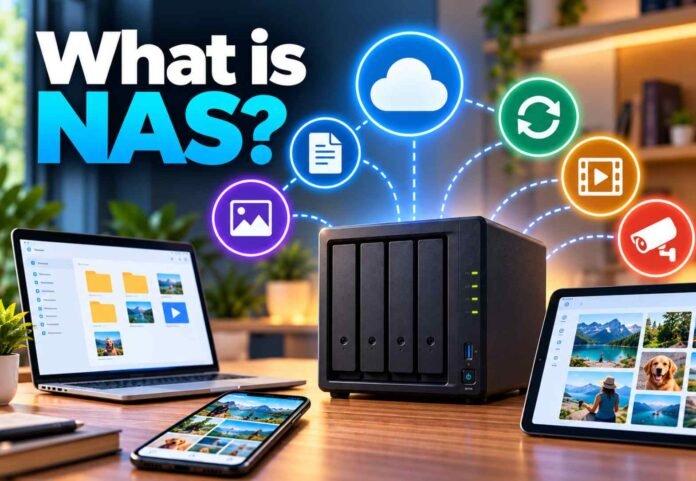
- A NAS stores files centrally and makes them accessible to authorised devices on a network.
- Synology NAS devices can support file sharing, automatic backups, photo management and compatible security cameras.
- Drive capacity, performance, security and backup options are important factors when choosing a NAS.
- A NAS offers greater control over storage, but it still requires maintenance and a separate backup to protect important data.
NAS (Network Attached Storage) is a dedicated storage device that connects to your home or office network, allowing multiple devices to access files from one central location. Instead of spreading documents, photographs, videos and backups across laptops, external hard drives and cloud accounts, you can keep them organised in one place.
Think of a NAS as your own personal cloud storage system. You can save files from a computer, access photographs on your phone, share documents with family members and create automatic backups without relying entirely on a third party’s cloud service.
Synology is one of the best known manufacturers in this space. Its NAS devices run dedicated software that turns a collection of storage drives into a versatile platform for managing files, protecting data and running additional applications. Depending on the model and configuration, a NAS can also support media streaming, security cameras and other home or business services.
For home users, this means having more control over personal files and digital memories. For businesses, it offers a practical way to centralise important documents and make them available to authorised employees.
How Does a NAS Work?
A NAS connects to your router, usually through an Ethernet cable, and communicates with other devices over your local network. Once configured, users can access shared folders from compatible computers, smartphones and tablets.
Most NAS systems contain one or more drive bays that hold hard disk drives (HDDs) or solid state drives (SSDs). Hard drives are generally suited to storing large amounts of data at a lower cost, while SSDs offer faster access and quieter operation, usually at a higher price per terabyte.
You can choose a NAS with a single drive bay or a model that supports several drives. Multi drive systems may support RAID configurations, which combine drives to improve availability or performance, depending on the setup. Some configurations can continue operating after a drive fails, but RAID is not a substitute for a separate backup.
Synology devices use DiskStation Manager, commonly known as DSM, to provide tools for file management, user permissions, backups and other services. The exact features available depend on the model and installed applications.
You can access files while connected to your home network. Remote access is also possible when configured correctly, allowing you to retrieve documents or upload photographs while travelling. However, remote access should be protected with strong passwords, multifactor authentication where available, regular updates and appropriate access controls.
What Can You Do With a Synology NAS?
Build Your Own Private Cloud
One of the biggest advantages of a NAS is the ability to create a central storage library that you control. Rather than paying for additional cloud storage every month, you can purchase suitable drives and store your files locally.
Synology’s file management and synchronisation tools let you organise folders, share documents and access data from different devices. You can also generate sharing links for other people when you need to send large files.
A NAS is not automatically accessible from everywhere, however. Remote access requires an appropriate configuration, and internet upload speeds can affect how quickly you retrieve large files away from home.
Back Up Computers and Mobile Devices
A NAS can serve as a central destination for automatic backups, helping protect important information if a computer is lost, damaged or affected by a software problem.
Synology provides tools for backing up and synchronising computers, while Mac users can configure compatible NAS storage as a Time Machine destination. Depending on the device and software, you can also retain earlier file versions and restore documents after accidental changes.
For smartphone users, automatic photo and video uploads make it easier to preserve memories without constantly transferring files by hand.
Remember that a NAS can also fail, be stolen or be affected by malware. For valuable data, maintain another backup on a separate device or in a trusted off site location.
Organise Photos, Videos and Other Media
Digital photo collections can quickly become difficult to manage when they are scattered across phones, computers and removable drives. A NAS brings those files together, making them easier to organise and retrieve.
Synology Photos offers tools for browsing and managing photographs and videos. Depending on the available features and settings, it can help group images using information such as dates, locations and people.
A NAS can also act as a media library for compatible devices around your home. Families can keep films, music and personal recordings in one location rather than maintaining separate copies on every device.
Performance depends on the NAS hardware, network connection, file formats and number of users accessing the system.
Add Home Security Cameras
Some Synology NAS models can run Surveillance Station, a video surveillance platform designed to work with compatible IP cameras.
This allows users to manage camera feeds, record footage and review events through a central system. Depending on the configuration, footage can be stored locally instead of relying exclusively on a camera manufacturer’s cloud service.
Before choosing a NAS for surveillance, check its supported camera capacity, licensing requirements, storage needs and recording performance. Continuous video recording can consume considerable disk space, particularly when several high resolution cameras are involved.
How to Choose the Right NAS
The best NAS depends on how much data you have, how many people need access and what you expect the device to do.
For basic file storage and occasional backups, an entry level model may be sufficient. If you want more advanced data protection, multiple applications, media management or several simultaneous users, a more capable model could be a better investment.
Consider these factors before buying:
- Storage capacity: Estimate your current needs and leave room for future growth. Remember that usable capacity can be lower than the combined capacity of installed drives when redundancy is configured.
- Drive bays: A single bay can suit straightforward storage needs, while a multi bay model offers more flexibility for drive expansion and certain RAID configurations.
- Performance: Processor capability, memory, network speed and drive type affect how well a NAS handles multiple users and demanding applications.
- Data protection: Look for suitable backup software, snapshots or file versioning where supported, and plan for an independent backup of important data.
- Security and remote access: Check software support, update availability, user permission controls and secure remote access options.
Synology’s product range includes compact models designed for everyday storage, more advanced systems aimed at demanding home users and small businesses, and rack mounted devices for larger deployments.
Is a NAS Worth Buying?
A NAS is worth considering if you regularly work with large files, have an extensive photo or video collection, manage several computers or want greater control over your backups. It can also be useful for small businesses that need a shared storage location without building a larger server infrastructure.
The main advantage is flexibility. You can expand storage, manage access and run supported applications on a device that remains under your control. Once configured, routine tasks such as backing up photographs and synchronising documents can happen automatically.
There are trade offs. You need to pay for the NAS and its drives upfront, maintain the system, apply security updates and plan for hardware failure. Electricity use, network performance and the cost of replacement drives should also be considered.
Cloud storage can still be a convenient choice for people who want minimal maintenance or need to access files without managing hardware. In many cases, combining a NAS with an independent cloud or off site backup provides a useful balance between convenience, privacy and resilience.
Ultimately, a NAS is more than an external hard drive connected to a router. It is a flexible storage platform that can bring together file sharing, automated backups, media management and other useful services in one place.
Follow TechBSB For More Updates