
- Google has started rolling out advanced voice control for Gemini on macOS with version 1.88.
- Intelligent dictation removes filler words and automatically creates cleaner, polished text.
- Screen aware AI can summarize documents, rewrite highlighted text, and edit images through voice commands.
- The update is rolling out globally in English first, with more language support planned later.
Google has officially begun rolling out its long awaited advanced voice control experience for Gemini on macOS, bringing a more natural way to interact with the AI assistant across the desktop. First previewed during Google I/O 2026, the feature is now reaching users with version 1.88 of the Gemini for macOS app. The update focuses on making voice interactions feel less like traditional speech recognition and more like a conversation that understands intent, context, and ongoing work.
At the heart of the rollout are two major capabilities. The first is an intelligent dictation system that automatically cleans up spoken text before inserting it into any active application.
The second expands Gemini beyond transcription by allowing it to understand what is on your screen and perform context aware tasks using voice commands. Together, these additions move Gemini closer to becoming a desktop assistant that works across apps instead of remaining limited to a single chat window.
The rollout is happening globally in English first, while support for additional languages is expected to arrive later.
Smarter dictation aims to feel more natural
One of the biggest improvements in the latest Gemini update is its approach to voice typing. Instead of simply converting speech into text word for word, Gemini attempts to produce polished writing that reflects what the user intended to say.
The system automatically removes common filler words such as “umm” and “ah” that often appear in spoken conversations. It can also recognize when users correct themselves in the middle of a sentence, adjusting the final output so it reads naturally instead of preserving every spoken interruption.
Once processed, the refined text is inserted directly at the current cursor position, allowing users to dictate into documents, emails, messaging apps, note taking software, or virtually any text field across macOS.
This approach closely resembles the experience Google has been developing for Gboard Rambler, a next generation speech recognition system expected to power upcoming Gemini Intelligence smartphones. Rather than focusing on literal transcription, the goal is to produce clean, publication ready text with minimal editing required after dictation.
For professionals who spend significant time writing emails, reports, meeting notes, or documents, this could dramatically reduce the amount of manual cleanup typically associated with voice typing.
Gemini can understand what is on your screen
The second major feature extends Gemini beyond dictation by introducing screen aware voice assistance. Users can allow Gemini to analyze highlighted files, documents, images, and selected text before carrying out more advanced requests.
This functionality requires users to enable Gemini reasoning within the application settings because it relies on additional AI processing and contextual understanding.
Google showcased several examples of how this works in practice.
Users can highlight local documents and ask Gemini to summarize them into an email or extract important information. One example involves selecting veterinary records and asking Gemini to create a concise medical history for a pet that can be shared with a kennel.
The assistant can also rewrite highlighted text using spoken instructions. Instead of manually copying content into an AI chatbot, users simply select the text already visible on screen and request changes such as making it more professional, creating an executive summary, or adding a short TLDR section.
Creative workflows are supported as well. Users can reference existing illustrations or graphics and ask Gemini to generate new versions or modify them using voice commands. For instance, an illustration could quickly be transformed into a dark mode version without requiring separate prompts inside an image editing application.
These additions make Gemini feel more deeply integrated into desktop productivity rather than functioning as an isolated AI assistant.
Simple activation and gradual rollout
Google has designed the new voice experience to be easily accessible from anywhere in macOS. Users can activate Gemini by pressing and holding the Fn key or by tapping the new screen sharing button located inside the Ask Gemini prompt.
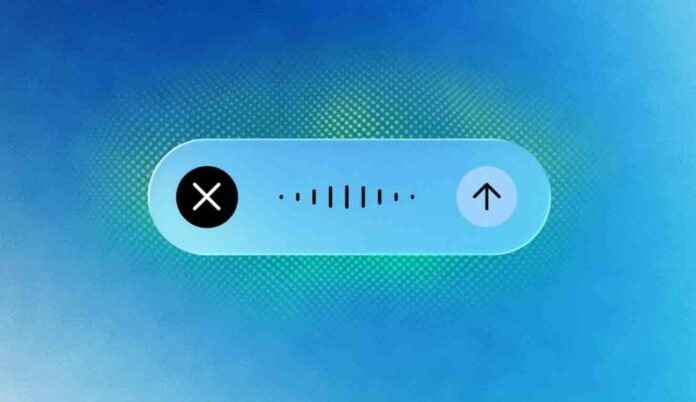
Once activated, a floating interface appears at the bottom of the display featuring a waveform animation that indicates Gemini is actively listening.
The update requires Gemini for macOS version 1.88 or newer. Although the rollout has officially started worldwide, Google notes that availability is expanding gradually, meaning some users may need to wait before seeing the new functionality appear.
Initially, the experience is launching in English, while broader language support is planned for a future release.
Google’s latest update reflects a broader shift in AI software development. Instead of asking users to constantly switch between applications and chatbot windows, companies are increasingly building assistants that work directly within existing workflows. By combining cleaner speech recognition with contextual understanding of files, documents, and on screen content, Gemini for macOS moves another step toward becoming a practical productivity tool for everyday desktop use.
Follow TechBSB For More Updates