
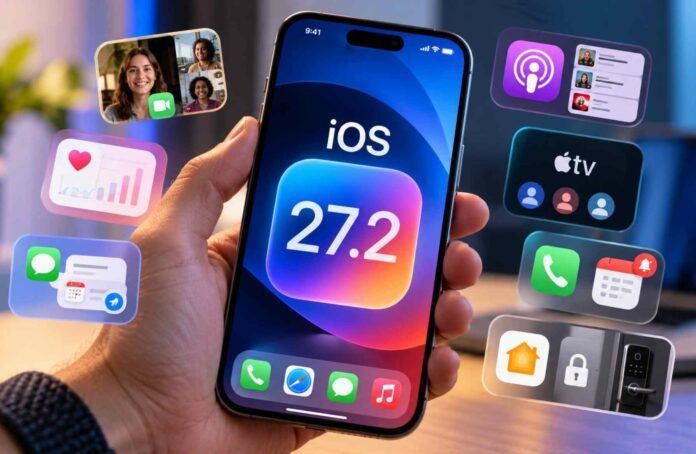
Apple is preparing another software update for iPhone users, and iOS 27.2 is expected to bring several useful additions alongside the usual bug fixes and performance improvements. The update focuses on everyday tasks, from making conversations more productive to improving health tracking, managing podcasts and keeping an eye on smart home security.
According to reports cited by 9to5Mac and MacRumors, the upcoming release is expected to introduce seven notable features. These include expanded Dual Capture support for group FaceTime calls, a redesigned Health app, contextual suggestions in Messages and separate user profiles in the Apple TV app.
The update is also expected to improve the Podcasts experience, add anniversary reminders to incoming calls and introduce new alerts for compatible smart locks.
The reported timing points to a release before the end of October 2026, although Apple could change its rollout plans. As with any unreleased software, availability and individual features may depend on the final version and the iPhone model being used.
Here is a closer look at the seven features expected to arrive with iOS 27.2.
Group FaceTime gets Dual Capture support
One of the more interesting additions is an expansion of Apple’s Dual Capture feature.
On supported iPhone models, Dual Capture allows users to record video using the front facing camera and the rear main camera simultaneously. This makes it possible to capture both the person filming and the scene in front of them.
According to 9to5Mac, iOS 27.2 is expected to extend this capability to group FaceTime calls.
Previously, the FaceTime implementation was limited to calls involving one other person. The reported update would allow users to use both front and rear cameras during group conversations, potentially making video calls more engaging.
This could be useful for family calls, group discussions and situations where someone wants to show their surroundings while remaining visible on screen.
However, support will depend on compatible hardware, and the feature’s final capabilities will need to be confirmed once the update becomes available.
Apple redesigns the Health app
The Health app is also expected to receive a significant visual and organizational overhaul.
Apple reportedly introduced the redesigned interface during its September product event, with the new version expected to arrive alongside iOS 27.2.
The updated app is organized around three main tabs: Insights, Longevity and Browse. Each section is designed to make different aspects of a user’s health information easier to explore.
Insights brings together current health information, including vital measurements and heart rate data. Longevity focuses on health information over longer periods, helping users review patterns and changes over time. Browse provides a way to navigate the wider collection of health categories and records.
The revised layout could make it easier to understand the difference between current measurements and longer term trends without having to move repeatedly between different sections.
For people who regularly use their iPhone to track activity and monitor health information, a clearer interface could be a welcome improvement.
As always, health measurements should be interpreted carefully. The app can help organize personal information, but it does not replace professional medical advice.
Messages gets smarter suggestions
Apple is reportedly preparing a contextual Suggestions feature for Messages on devices that support Apple Intelligence.
The idea is to make conversations more actionable by recognizing relevant details and offering shortcuts based on what people are discussing.
For example, if a friend sends a message about an upcoming event, the app could suggest adding the date to the calendar or setting a reminder. Users would be able to act on that information without leaving the conversation and manually entering the details elsewhere.
The feature is also expected to help users find relevant photos, locations, contacts and other information mentioned in their messages.
Suggestions reportedly appeared in an earlier iOS 27 beta before being removed, and the feature is now expected to return with iOS 27.2.
This would bring Apple’s messaging experience closer to similar contextual AI tools available on competing smartphones. Google’s Pixel devices offer Magic Cue, while Samsung has introduced Now Nudge on supported Galaxy phones.
The practical value will depend on how accurately the feature understands conversations and how consistently it identifies useful actions.
It is also important to note that Apple Intelligence compatibility will limit availability. Not every iPhone capable of installing iOS 27.2 will necessarily support these AI powered suggestions.
Podcasts, Apple TV and Call Context receive useful upgrades
Three more features are expected to improve how people use Apple’s built in apps.
In Apple Podcasts, the existing Up Next section is reportedly being reorganized into two separate areas.
The first, New Episodes, will highlight the latest episodes from podcasts a user follows. Below it, Continue Playing will display episodes that are already in progress or waiting in the listening queue.
Separating new content from ongoing listening should make it easier to keep track of subscriptions without losing the place in a show that is already underway.
The Apple TV app is also expected to gain user profiles on iPhone. Separate profiles will allow different people to maintain their own viewing histories and recommendations, bringing the mobile experience closer to the profile system already available on Apple TV hardware.
This could be particularly useful for households where several people share a device or use the same Apple TV account environment.
Meanwhile, Call Context is expected to gain an anniversary reminder. When someone whose anniversary is recorded in Contacts calls around the relevant date, the iPhone could display a reminder.
It is a small addition, but it could help users remember important personal occasions without having to check their calendars separately.
The Home app adds smarter door security alerts
The final set of reported improvements focuses on Apple’s Home app and compatible smart locks.
The first feature, Lock After Closing, is designed to automatically lock a door that has been closed but remains unlocked. Users will reportedly be able to configure how long the system waits before locking the door.
The second feature, Door Left Open, is intended to notify users when a compatible door equipped with a smart lock has remained open for too long.
Together, these functions could make it easier to keep track of entry points around the home, particularly for people who frequently leave in a hurry or want an additional layer of reassurance.
The features will depend on compatible smart home hardware and the relevant configuration. Not every existing smart lock will necessarily support them.
The timing is also notable, as Apple is reportedly preparing additional smart home products. Improvements to the Home app could help create a more cohesive experience for people managing connected devices through their iPhones.
Nevertheless, users should check device compatibility before expecting these features to work with their current smart home setup.
When will iOS 27.2 arrive?
The reports point to a launch before the end of October 2026, although Apple has not necessarily confirmed every feature or the precise release date described in the reports.
As with other iOS updates, the final rollout may include additional bug fixes, security improvements and changes that were not highlighted in early coverage.
Once the update becomes available, users can check for it through Settings, General and Software Update. It is sensible to back up an iPhone before installing a major software update and ensure the device has sufficient battery power and available storage.
Overall, iOS 27.2 appears to be a practical update rather than a complete overhaul of the iPhone experience. The redesigned Health app, contextual Messages suggestions and improved smart home alerts could make everyday tasks easier, while the Podcasts and Apple TV changes address long standing usability gaps.
The biggest benefits will vary from person to person. Users who rely on Apple Intelligence may appreciate the smarter messaging tools, while those with compatible smart locks could find the new Home app alerts more valuable.
The final verdict will depend on how well these features work in practice and which devices support them when Apple releases the update.
Follow TechBSB For More Updates