
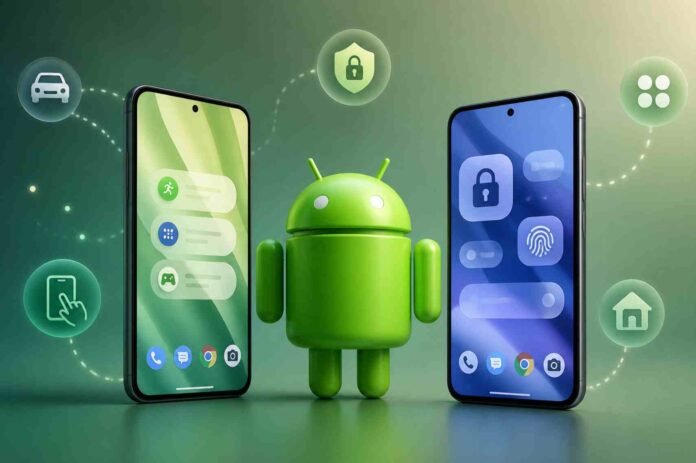
- Motion Assist may reduce motion sickness with visual cues
- Built in app lock could improve privacy without extra apps
- New blur effects may refresh Android’s look and feel
- Smarter home screen tools could simplify app organization
Android 17 is shaping up to be one of the more ambitious Android updates in recent years, and Google has already set expectations high ahead of its upcoming Android-focused showcase.
Scheduled just ahead of its annual developer conference, the event is likely to offer a deeper look at what’s next for Android, including several features that have already surfaced through beta builds and code discoveries.
While nothing is officially confirmed yet, a combination of leaks, developer previews, and insider findings paints a fairly clear picture of what might be announced. If these features make the final cut, Android 17 could deliver a meaningful mix of usability improvements, design tweaks, and smarter tools.
Motion Assist could tackle motion sickness in a clever way
One of the more unusual additions expected is something called Motion Assist. Previously referred to as Motion Cues, this feature is designed to help reduce motion sickness when using a phone in a moving vehicle.
The concept is simple but smart. A visual element, likely a small dot or set of indicators, moves on the screen in sync with the motion of the device. This gives your brain a visual reference point that aligns with physical movement, potentially reducing nausea caused by conflicting sensory signals.
It is not a flashy feature, but it could make a real difference for users who struggle with motion discomfort during travel. The fact that it has appeared multiple times in Android code suggests it is more than just an experiment.
Native app locking may finally arrive
Android has long offered flexibility, but one area where it has lagged behind is built in app locking. That might finally change with Android 17.
The rumored feature would allow users to lock individual apps using a PIN, password, or biometric authentication without needing third party tools or hiding apps entirely. This is particularly useful for messaging apps, banking apps, or photo galleries where privacy matters but quick access is still important.
Some Android manufacturers already offer similar tools, but having it built directly into the operating system would bring consistency across devices, especially for Pixel users.
A more refined visual experience with blur effects
After last year’s Material 3 Expressive redesign, Android 17 could continue evolving its visual identity. Reports suggest a stronger emphasis on blur and translucency across the interface.
This could mean softer backgrounds, layered visuals, and a more fluid look overall. While subtle on paper, these changes can significantly affect how modern and polished the system feels in everyday use.
Rather than a complete redesign, this appears to be a refinement, building on existing design language while pushing it closer to a more immersive and dynamic interface.
Small gestures, big convenience
Sometimes the smallest features end up being the most used. Android 17 may introduce a double tap gesture that lets users turn off their screen quickly.
Instead of reaching for the power button, a simple double tap on the display would lock the device. It is a minor addition, but one that improves one handed usability and reduces wear on physical buttons.
Although similar gestures already exist on some Android devices, making it a standard feature would improve consistency across the ecosystem.
Smarter home screen organization
Another feature in development focuses on simplifying how users organize their home screens. The rumored home screen organizer would allow users to assign categories to different panels, such as social apps, games, or productivity tools.
Once selected, Android could automatically populate those panels with relevant apps and arrange them in predefined layouts. This could be particularly helpful for new users or anyone looking to declutter their setup without spending time manually organizing icons.
It also hints at a broader trend of Android becoming more proactive in managing content and layout, rather than leaving everything entirely manual.
Follow TechBSB For More Updates

