
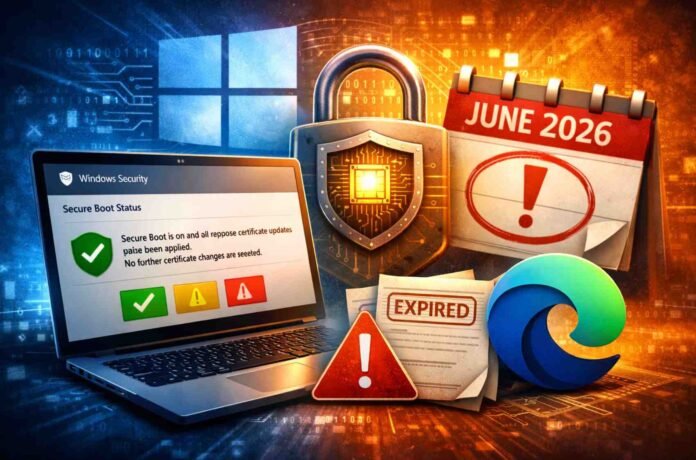
- Microsoft is replacing Secure Boot certificates for the first time in 15 years
- Old certificates expire in June 2026, risking reduced startup security
- Windows now shows detailed Secure Boot status inside the Security app
Microsoft is rolling out one of its most significant behind the scenes security changes in over a decade, and it is not something most users can afford to ignore. For the first time in roughly 15 years, the company is replacing aging Secure Boot certificates that date back to 2011.
These certificates act as a foundational layer of trust when your PC starts up, ensuring only verified software loads during boot.
That quiet piece of infrastructure is now reaching its expiry date in June 2026. If your system is still relying on those older certificates, it could lose an important line of defense against boot level malware.
Microsoft’s answer is a sweeping update effort that delivers newer 2023 certificates through Windows Update, along with clearer visibility into whether your device is protected.
This is not just another routine Patch Tuesday update. It is a coordinated push that spans firmware, operating systems, and hardware manufacturers worldwide. The scale alone makes it one of the largest security maintenance efforts Microsoft has attempted across its ecosystem.
What actually changes in April 2026
Starting April 2026, Windows introduces a more transparent way to check Secure Boot status. Inside the Windows Security app, users will now see detailed indicators showing whether their system is properly updated.
Instead of vague reassurance, the interface uses clear status badges. A green, yellow, or red icon signals your current protection level. But Microsoft is careful to point out that a green checkmark alone is not enough. Users must also confirm a message stating that Secure Boot is active and all required certificate updates have been applied.
This extra layer of clarity is important because many systems may appear secure while still running outdated certificates. The new interface removes that ambiguity and pushes users toward taking action where needed.
From May onward, Microsoft plans to escalate visibility further. Expect system level alerts and additional prompts outside the app if your device is approaching the June deadline without the necessary updates installed.
Why this update matters more than it seems
Secure Boot operates at a level most antivirus tools cannot reach. It protects your system before the operating system fully loads, blocking malicious code that attempts to hijack the startup process.
Without valid certificates, that protection weakens significantly. Once the older certificates expire, systems that have not been updated may no longer be able to verify trusted components during boot. That creates an opening for bootkits and similar threats that are notoriously difficult to detect and remove.
For users running newer machines, this transition may happen quietly in the background. But older devices, especially those still on Windows 10, may require more attention. In some cases, extended support programs will be necessary to keep receiving critical updates.
In simple terms, this is one of those rare updates where ignoring it carries real risk rather than minor inconvenience.
The controversy around Edge auto launch
Alongside the security changes, another update is drawing mixed reactions. Some users report that Microsoft Edge now opens automatically after installing the latest Windows update and restarting their PC.
What makes this particularly frustrating is the lack of a clear opt out experience during that moment. While the browser can be closed manually, critics argue that this approach feels intrusive and unnecessary. Traditionally, operating systems highlight updates through notifications or banners, not by launching applications.
Microsoft has described this behavior as part of a limited experiment aimed at understanding user habits. The company suggests that many users open a browser shortly after startup anyway. Still, the execution has sparked debate, especially among those who prefer alternative browsers.
This move fits into a broader pattern of Microsoft promoting its own browser within Windows, though it continues to face strong competition.
What you should do next
If you are using a Windows PC, the priority is straightforward. Make sure your system is fully updated and check the Secure Boot status inside the Windows Security app. Look beyond the icon and confirm that certificate updates are complete.
If your device does not receive the update automatically, you may need to explore support options or consider upgrading hardware. Waiting until the June deadline approaches is not a good strategy.
This is one of those rare updates where proactive action makes a measurable difference to your system’s safety.
Follow TechBSB For More Updates

