
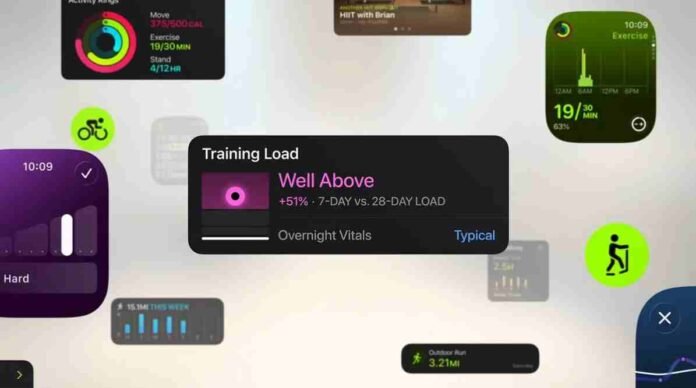
- Many fitness apps fail to fully use the Apple Watch interface
- Poor Dock support and unreliable syncing hurt the experience
- Offline audio and cross device updates still frustrate users
- Apps that nail the basics earn long term loyalty
For a device that has steadily woven itself into everyday life, the Apple Watch remains surprisingly underserved by many fitness apps. While the hardware has evolved in subtle, iterative ways over the years, the real transformation has happened inside watchOS.
Apple has refined the interface repeatedly, introducing smarter navigation, clearer visuals, and features designed to reduce friction when you are on the move.
Yet despite these advancements, a noticeable gap remains between what the platform can do and how some developers choose to use it.
Whether you rely on your watch to track workouts, monitor calories, manage notifications, or even respond to messages when your phone is across the room, watchOS is no longer a companion experience. For many users, it is the primary one. That is precisely why poorly optimized apps feel so jarring.
After nearly a decade of using the Apple Watch, it is still surprising how often certain apps ignore core interface strengths that should be impossible to miss.
When convenience becomes frustration
The Apple Watch thrives on immediacy. You raise your wrist, tap once or twice, and move on. Anything that interrupts that rhythm stands out immediately.
Consider opening an app from the Dock only to be greeted with nothing but a version number and no usable controls. No shortcuts. No glanceable data. Just a dead end that forces you back to the app grid to launch the full experience. It feels less like a design decision and more like something unfinished.
Thankfully, situations like this do get fixed, but the fact that they ship at all raises questions about priorities.
This is not about calling out individual developers. Some teams are small, others juggle multiple platforms, and building for a wearable is a unique challenge. Still, the disparity between apps is hard to ignore.
Some feel native to the watch, almost as if they were designed alongside it. Others behave like scaled down phone apps that were never truly rethought for a smaller screen.
The difference is not cosmetic. It directly impacts whether an app earns a permanent spot on your wrist or gets deleted after one too many annoyances.
The syncing problem nobody wants to think about
If there is one expectation wearable users share, it is simple: everything should just work.
That is why inconsistent syncing can quickly sour an otherwise solid app. Imagine adjusting a weight during a workout on your watch, only to see it revert on your phone moments later. Or making a change on your phone that never quite makes it back to the watch without manual intervention.
These are small interruptions, but workouts are built on momentum. Having to stop mid set to correct mismatched data breaks focus and adds unnecessary friction.
Audio downloads present another recurring headache. Offline playback is essential for runners and gym goers who prefer leaving their phones behind, yet getting podcasts or playlists onto the watch can sometimes feel unreliable enough to require a reset.
Whether the root cause lies with Apple, developers, or the relationship between the two is almost beside the point for users. People do not care who is responsible. They care that it works every time.
The apps that get it right set the standard
The good news is that strong examples already exist, proving that a polished watch experience is achievable.
The best fitness apps treat the watch as more than a secondary display. They prioritize quick interactions, clear metrics, and seamless transitions between devices. When you can tweak settings mid run without breaking stride or instantly review your stats on either screen, the technology fades into the background exactly as it should.
What stands out about these apps is not flashy innovation. It is discipline. They respect the fundamentals.
They load quickly. Navigation is intuitive. Data syncs without drama. And the features you need most are always within reach.
It is no coincidence that users tend to gravitate toward apps that embrace these principles. Reliability builds trust, and trust builds habit.
Developers should focus on the essentials again
Every year brings new watchOS capabilities and fresh opportunities for developers to experiment. That enthusiasm is welcome, but it should not come at the expense of longstanding features that already define the platform.
The Dock should feel purposeful. Syncing should be invisible. Offline functionality should be dependable. Most importantly, the watch interface should never feel like an afterthought.
The Apple Watch is no longer a novelty. It is a daily companion for millions, especially those pursuing healthier routines. When fitness apps fall short, the disappointment is magnified because the device itself sets such a high bar.
Getting the basics right may not sound glamorous, but it is often the difference between an app that survives on your wrist and one that quietly disappears.
Follow TechBSB For More Updates

