
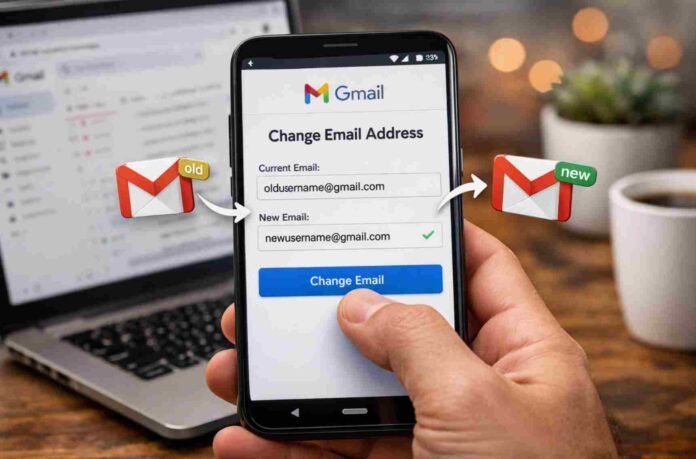
- Gmail now allows users to change their email address username
- Your old address becomes an alternate and still receives emails
- All data like emails and files remain unchanged
- You can only change your Gmail address once every 12 months
After years of requests and a fair amount of frustration, Google is beginning to roll out one of Gmail’s most anticipated updates. Users can now change their actual Gmail address, not just add aliases or create a new account. It is a subtle shift on paper, but in practice it gives people far more control over how they present themselves online.
The feature was first announced in December 2025, with a gradual rollout expected. Now, it is starting to appear for users in the United States, while availability in other regions remains inconsistent. Some users outside the US still report that the option has not yet appeared, suggesting Google is taking a slow and cautious approach.
For anyone still stuck with an email created in their teenage years, this update feels long overdue.
What actually changes and what stays the same
The most important thing to understand is that changing your Gmail address does not mean starting from scratch. Your existing data stays exactly where it is. Emails, photos, files, and account history remain untouched.
Your old email address does not disappear either. Instead, it becomes an alternate address linked to your account. Messages sent to the old address will still reach your inbox, which removes a major concern about missing important communication.
You can also continue to sign in using either your old or new address. This makes the transition smoother, especially if you are logged into multiple devices or services.
However, there is one limitation worth noting. Once you change your Gmail address, you will not be able to change it again for 12 months. That means you should choose your new handle carefully.
How to change your Gmail address
The process is relatively straightforward and works in a similar way across desktop and mobile devices.
Start by opening your Google Account settings through a browser. From there, navigate to the Personal info section. Tap on Email, then select Google Account email. If the feature is available to you, you will see an option labeled Change Google Account email.
At this point, you can enter your new desired email username. If it is available, you can confirm the change and follow the on screen prompts to complete the process.
If you do not see the option, it simply means the feature has not reached your account yet or your account type may not support it.
Before making the change, Google advises reviewing any potential issues. While most users will not run into problems, it is still a good idea to double check how the update might affect connected services or sign in methods.
A small update with big implications
On the surface, this may look like a minor feature addition. But in reality, it reflects a broader shift in how digital identity is handled.
For years, your Gmail address has effectively been your online identity across multiple services. Changing it meant abandoning your account and starting fresh, which was not practical for most people.
Now, that barrier is gone. Whether you are rebranding professionally, cleaning up an old username, or simply wanting something more polished, the flexibility is finally there.
It also signals that Google is paying closer attention to long standing user pain points. While the rollout is still limited, the direction is clear.
For now, the best thing you can do is check your account settings and see if the option is available. If it is, you finally have the chance to leave that outdated email behind.
Follow TechBSB For More Updates

